
There seems to be a new business tool popping up every week.
A new project management app. A new booking system. Another automation platform. Another place to manage tasks, take notes, collect information or collaborate with your team.
And while some of these tools are great, they can also mean another subscription, another login, another system to learn, and another piece of software that needs to talk to everything else you use.
So before you sign up for the next shiny new tool, there’s one question worth asking:
Does Microsoft 365 already do this?

You might be paying for more than you realise
We use Microsoft 365 every day in our own business at Admin Collective, and we also work within Microsoft 365 for many of our clients.
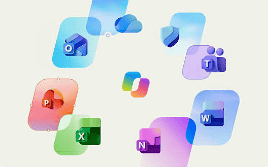
One thing we regularly see is businesses using Outlook for emails, Word for documents, Excel for spreadsheets and Teams for meetings, without realising just how many other useful tools are sitting inside the Microsoft environment they already pay for.
Depending on your Microsoft 365 subscription, you may already have access to tools that can help you manage projects, automate repetitive processes, take bookings, collect information, organise tasks and collaborate with your team.
Before adding another monthly subscription, it makes sense to see what you already have.
A few Microsoft tools worth exploring
Microsoft Planner can be used to organise tasks and projects across your team. If you're considering adding a separate project or task management platform, it's worth seeing whether Planner gives you everything you actually need first.
Microsoft Bookings allows customers or clients to book appointments based on your availability, with bookings syncing to your Outlook calendar. It can eliminate a lot of the back-and-forth involved in finding a suitable meeting time.
Power Automate can automate repetitive tasks and create workflows between the systems you use. Even relatively simple automations can save a surprising amount of admin time.
Microsoft To Do gives you a central place for your own tasks and integrates with Outlook, making it easy to turn an email into something you need to action rather than leaving it sitting in your inbox as a reminder.
Microsoft Forms is handy for registrations, surveys, feedback forms, questionnaires and collecting information without having to subscribe to another form-building platform.
There are plenty of others too, including OneNote, Whiteboard and Teams features you may never have explored.
And then there's Copilot, Microsoft's AI offering, which continues to add new ways to help with everyday work such as drafting, summarising and organising information.
One ecosystem can make life simpler
There is another advantage to using the tools within Microsoft 365: they're designed to work together.
The more separate platforms you add to your business, the more information can end up scattered across different systems. You may then need integrations or automations just to make those systems communicate with one another.
Sometimes a specialised piece of software absolutely is the right choice, and we do use non-Microsoft tools ourselves.
The point isn't that Microsoft should replace everything.
It's simply to check what you already have before you buy something else.
You may discover that the functionality you need is already sitting there waiting to be used, without another subscription hitting the credit card each month.
Not sure what you already have?
We've put together a free Microsoft 365 cheat sheet covering nine tools you may already have access to, what you can use them for, and some of the popular standalone tools that you may be using that you don't need.
It's not a complicated how-to manual. It's simply a quick guide to help you see what's available and decide which tools might be worth exploring in your own business.
Before you buy another tool, check Microsoft first. You might already be paying for it.
Want a quick overview of the Microsoft 365 tools you may already be paying for?
We've put together a free cheat sheet covering 9 Microsoft 365 tools, what they can be used for, and some of the standalone tools they could potentially replace.
↓ Download the free Microsoft 365 Cheat Sheet